MobileID OIDC - Use Cases
This chapter provides additional guidelines about the various parameter settings in the authorization request.
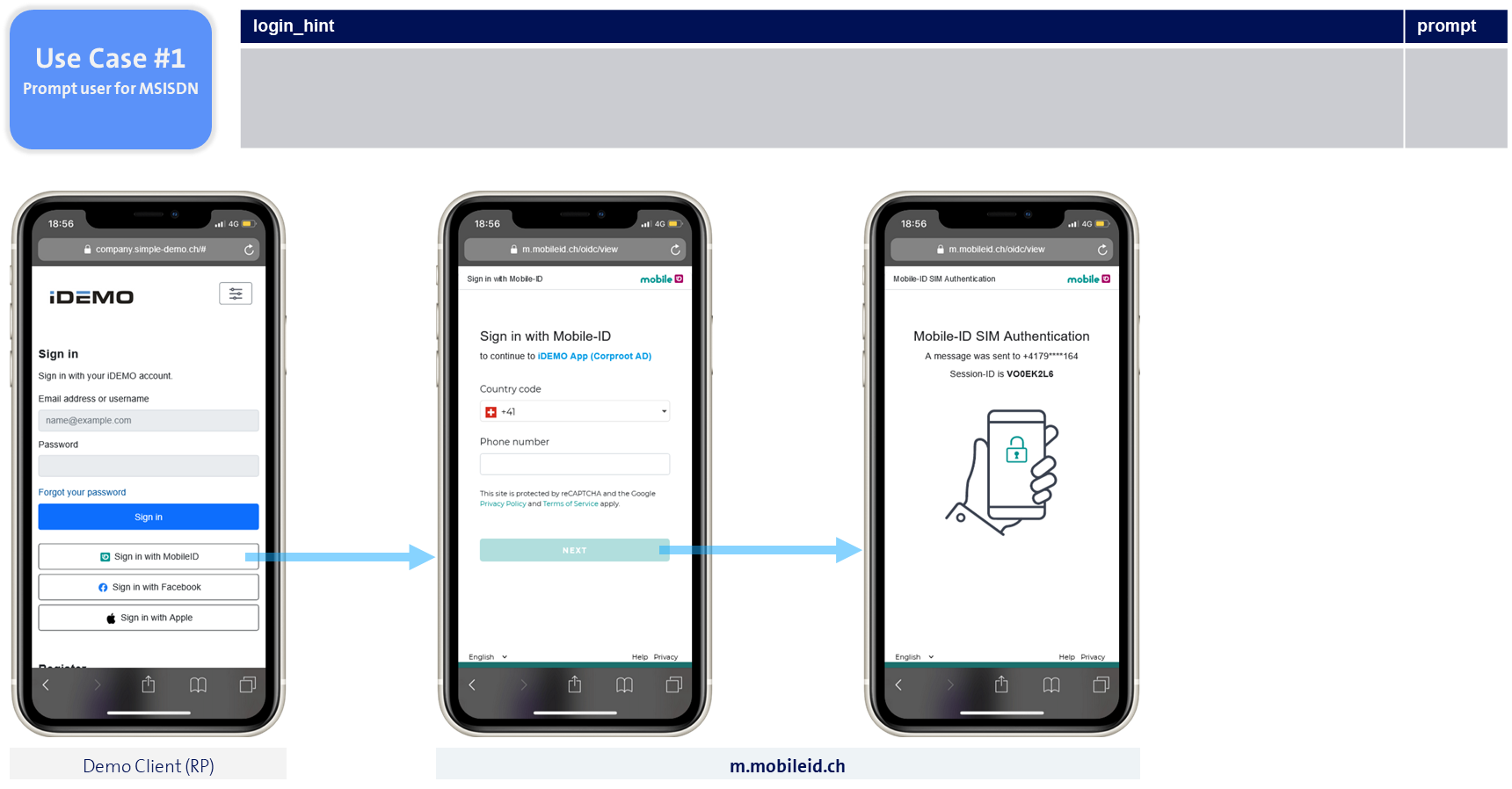
Prompt user for MSISDN
If the request does not contain a login_hint nor prompt parameter, the result will be that the user must enter the phone number on the MobileID side, as shown in the figure below. This is a typical B2C scenario, for example the MobileID login to a public web shop.
INFO
The Relying Party won't know the user's MSISDN unless the user gives their consent.
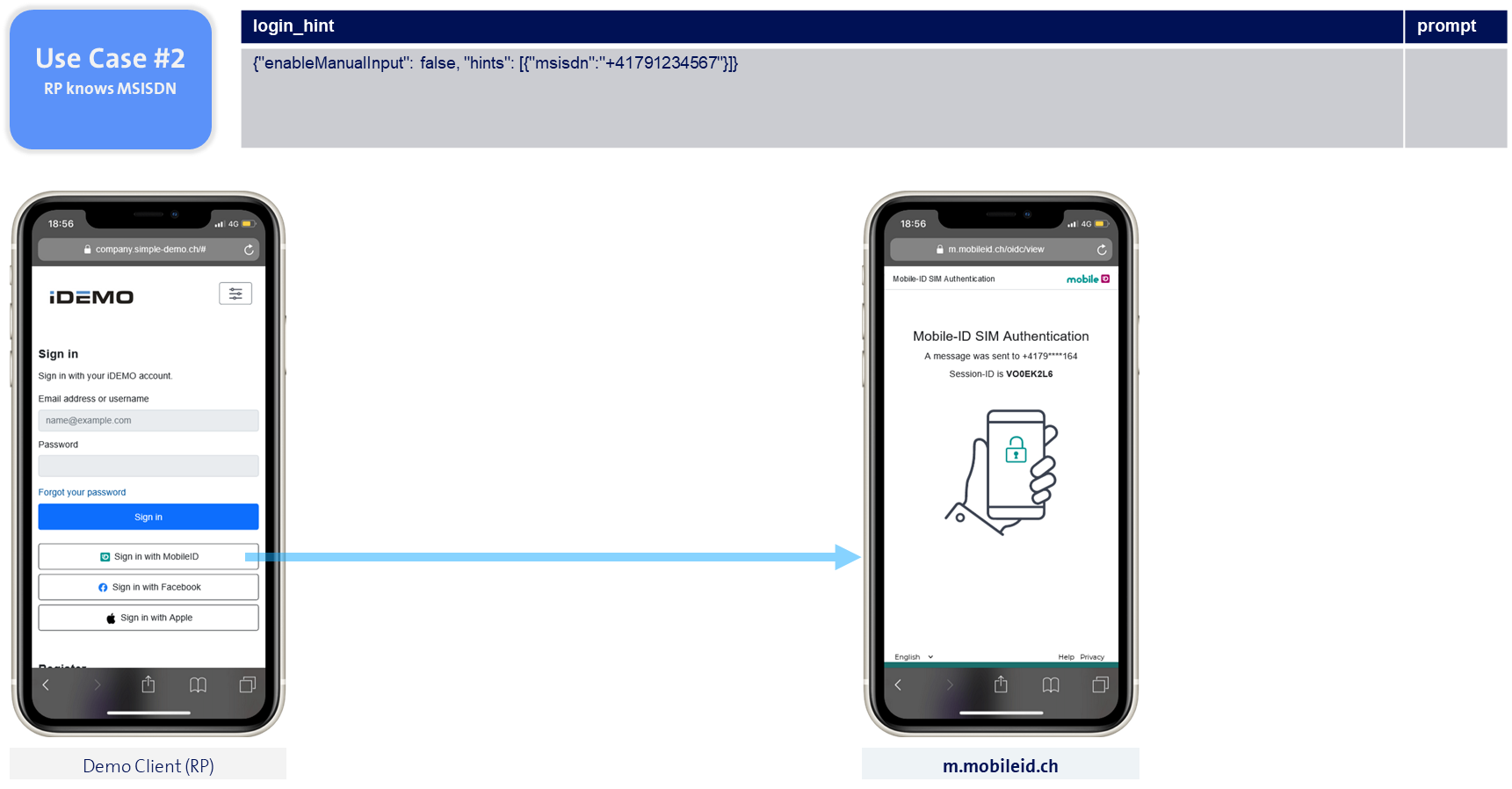
RP knows the MSISDN
If the request contains a login_hint parameter with the user's phone number, the MobileID authentication can start immediately.
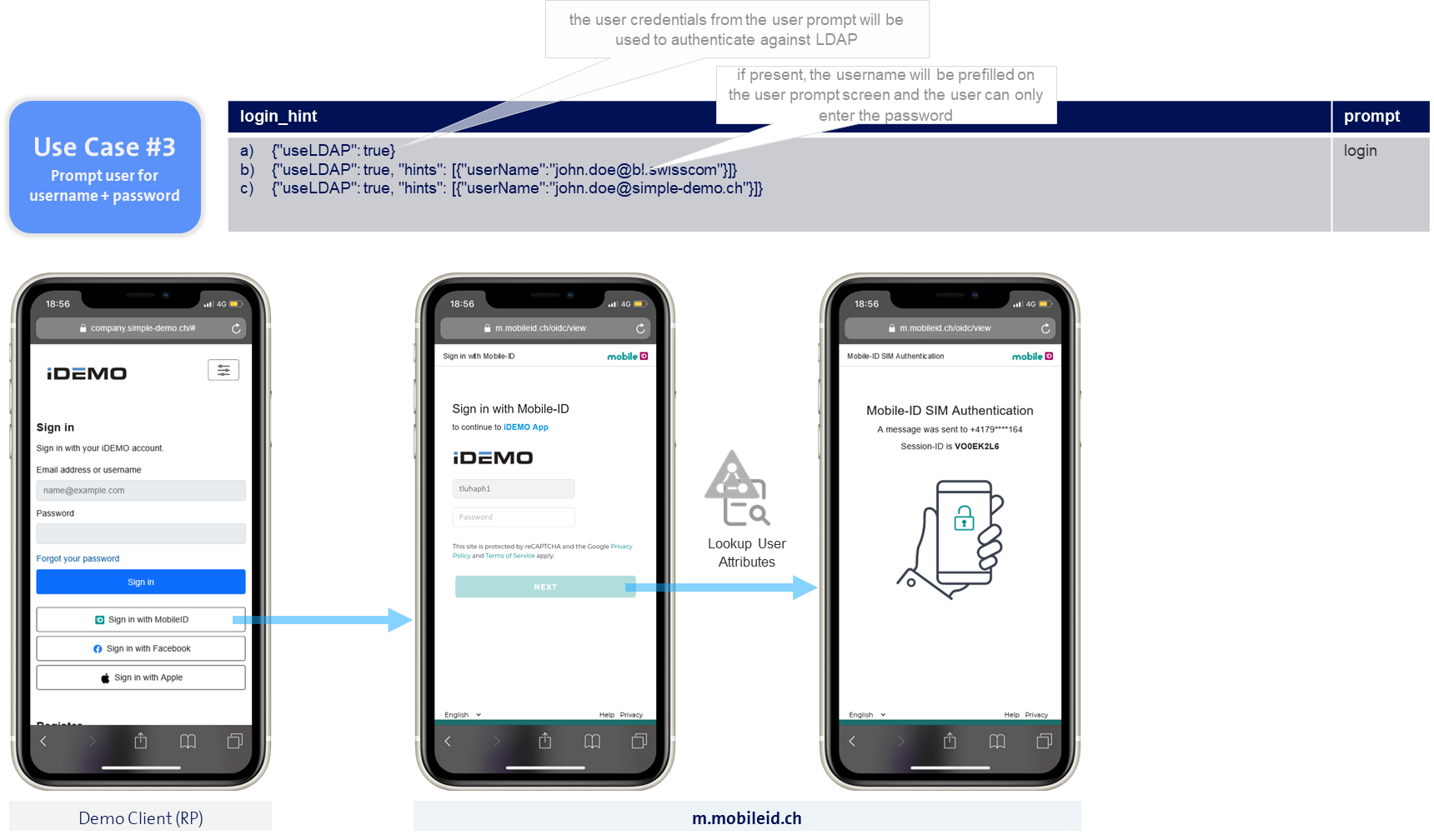
Prompt for User Credentials
If the request contains a login_hint parameter set to useLDAP:true and a prompt parameter set to login, the result will be that the user must enter the user credentials on the MobileID side, as shown in the figure below. This is a typical B2B scenario, for example the MobileID login to a company service.
MobileID service will look up the username on the Active Directory (LDAP), verify the user password and retrieve the user's mobile phone number, before it will eventually start the MobileID authentication.
TIP
Instead of the MobileID domain (m.mobileid.ch), we can configure your custom domain instead.
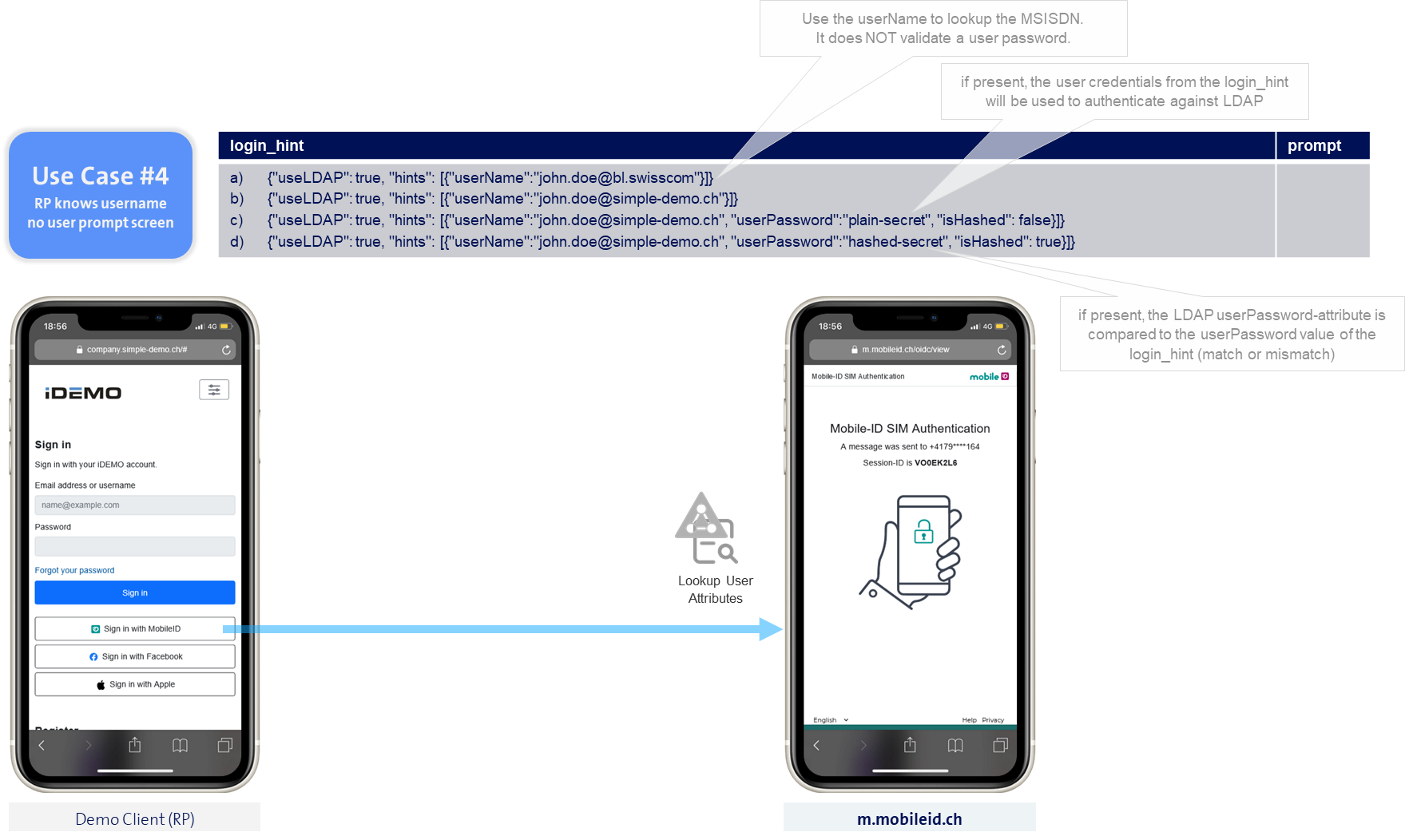
RP knows the username
If the request contains a login_hint parameter set to useLDAP:true but there is no prompt parameter, the result will be that the MobileID service will look up the username on the Active Directory (LDAP) to retrieve the user's mobile phone number, before it will eventually start the MobileID authentication.