
Annexes
RADIUS-related RFCs
The following list contains a set of RFCs that cover the various aspects of the RADIUS protocol and that will come in handy for implementing the solution outlined in this document:
| RFC | Title |
|---|---|
| RFC 2865 | Remote Authentication Dial-In User Service (RADIUS) |
| RFC 2866 | RADIUS Accounting |
| RFC 2867 | RADIUS Accounting Modifications for Tunnel Protocol Support |
| RFC 2868 | RADIUS Attributes for Tunnel Protocol Support |
| RFC 2869 | RADIUS Extensions |
| RFC 3162 | RADIUS and IPv6 |
| RFC 3575 | IANA Considerations for RADIUS |
| RFC 3579 | RADIUS Support for Extensible Authentication Protocol |
| RFC 3580 | IEEE 802.1X RADIUS Usage Guidelines |
| RFC 5080 | Common RADIUS Implementation Issues and Suggested Fixes |
| RFC 6158 | RADIUS Design Guidelines |
| RFC 6572 | RADIUS Support for Proxy Mobile IPv6 |
| RFC 6613 | RADIUS over TCP (updated by RFC 7930) |
| RFC 6614 | Transport Layer Security (TLS) Encryption for RADIUS |
| RFC 6929 | RADIUS Protocol Extensions |
| RFC 7268 | RADIUS Attributes for IEEE 802 Networks |
| RFC 7930 | Larger Packets for RADIUS over TCP |
| RFC 8044 | Data Types in RADIUS |
| RFC 2607 | Proxy Chaining and Policy Implementation in Roaming |
RADIUS Testing Tools
For testing a running instance of the RIG service (or any other RADIUS server), the following tools can be used.
Radclient
The Radclient is a small RADIUS client program that can be used from the command line to send RADIUS packets and print the received responses. Input data can be given via program arguments or with a local configuration file.
It can be used like this:
echo "User-Name = test" | /usr/local/bin/radclient localhost:1812 auth s3cr3techo "User-Name=test,User-Password=mypass,Framed-Protocol=PPP" | \
/usr/local/bin/radclient localhost:1812 auth s3cr3techo "Message-Authenticator = 0x00" | /usr/local/bin/radclient localhost:1812 auth s3cr3tTesting a RIG Instance
The following examples show how to use radclient to test a running RIG instance specifically.
Without LDAP — the MSISDN is provided as part of the User-Name:
echo "User-Name=<MyMobileNumber>@<mycompany.com>,NAS-Identifier=<ch_mycompany>" | \
  radclient -c 1 -r 1 -x -t 30 <server-ip> auth <shared-secret>
With LDAP — the RIG service retrieves the user's mobile number via LDAP:
echo "User-Name=<username>,User-Password=<user-password>,NAS-Identifier=<ch_mycompany>" | \
  radclient -c 1 -r 1 -x -t 30 <server-ip> auth <shared-secret>
OTP (SMS) challenge-response — if the authentication falls back to OTP via SMS, you will receive an Access-Challenge response that includes a State value. You must respond with another Access-Request that includes the OTP as User-Password and the retrieved State value:
echo "User-Name=<MyMobileNumber>@<mycompany.com>,User-Password=<otp>,State=<state>,NAS-Identifier=<ch_mycompany>" | \
  radclient -c 1 -r 1 -x -t 30 <server-ip> auth <shared-secret>
RADIUS Online Test
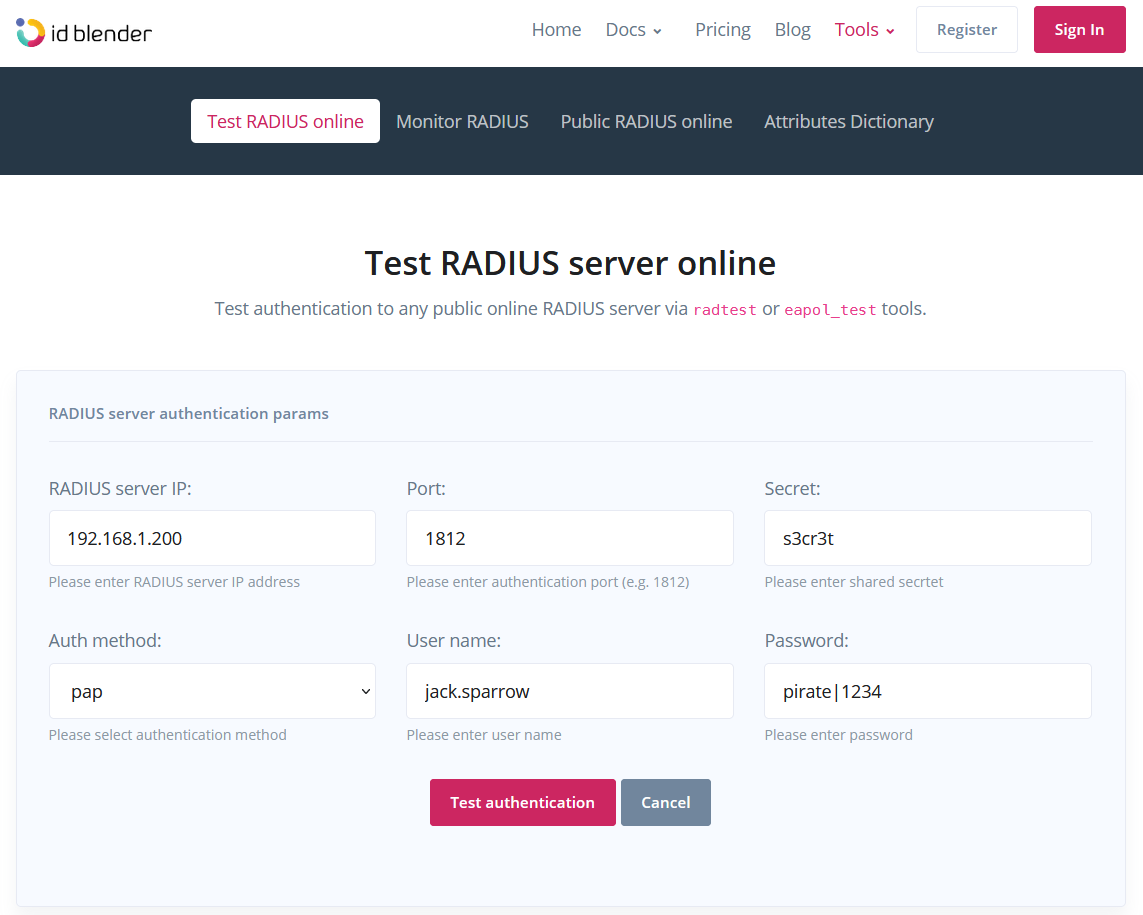
The idBlender company provides a free online web application that functions as a RADIUS client. It uses a backend service to perform the actual RADIUS request (so it is not the browser that sends the RADIUS requests, but a backend service) and can be used to test publicly available RADIUS servers.
Here is a screenshot from the application:
NTRadPing Test Utility
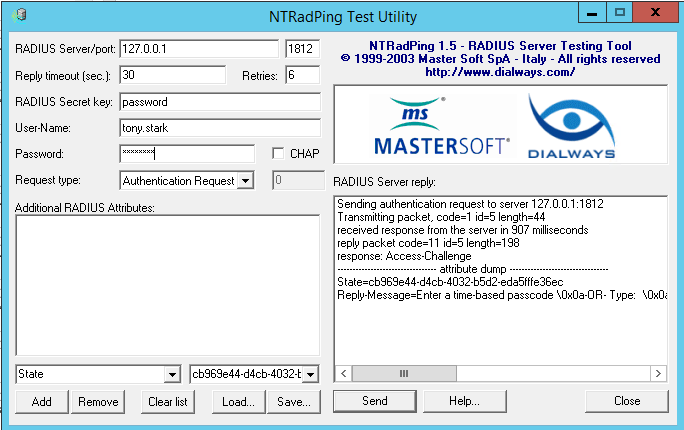
The NTRadPing application is a Windows desktop application that can be used for testing a RADIUS server. Since it runs from a local machine, it can easily test any internal/private RADIUS service.
Here is a screenshot from the application:
Other Tools
There are other tools that could come in handy during the development and testing phases of the RIG service. For example, the Simple Radius Test Tool is an ad-supported Android application that functions as a RADIUS client, and RadPerf is a load testing tool for RADIUS servers.